

Slow it down. Change the key. Split it into stems.
Stem Cell Research is a practice studio for musicians. Loop the hard part, change tempo and key separately, and pull any song apart into vocals, bass, drums, guitar, piano and the rest.
$20 · macOS 13 or later (Intel and Apple silicon) · Windows 10 and 11
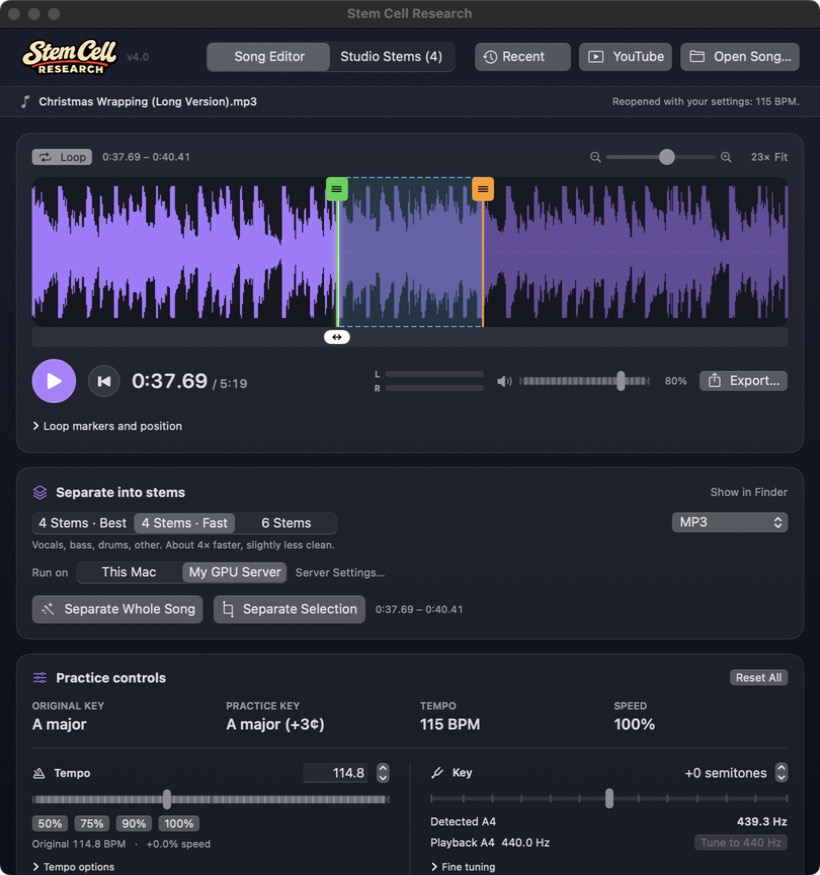
Everything you need to learn a song
Built for the woodshed
Open a song, drop it on the window or grab it from YouTube, and start practicing in seconds.
Tempo and key, separately
Slow a solo to 50% without changing its pitch, or move a song into your key without changing its speed. Fine-tune by cents and snap to 440 Hz.
Loop the hard part
Drag across the waveform to set a loop, zoom in up to 256×, and fine-tune the green and orange markers to the exact beat.
Split any song into stems
4 stems (vocals, bass, drums, other) or 6 stems with guitar and piano, using the Demucs models, right on your computer.
Studio Stems mixer
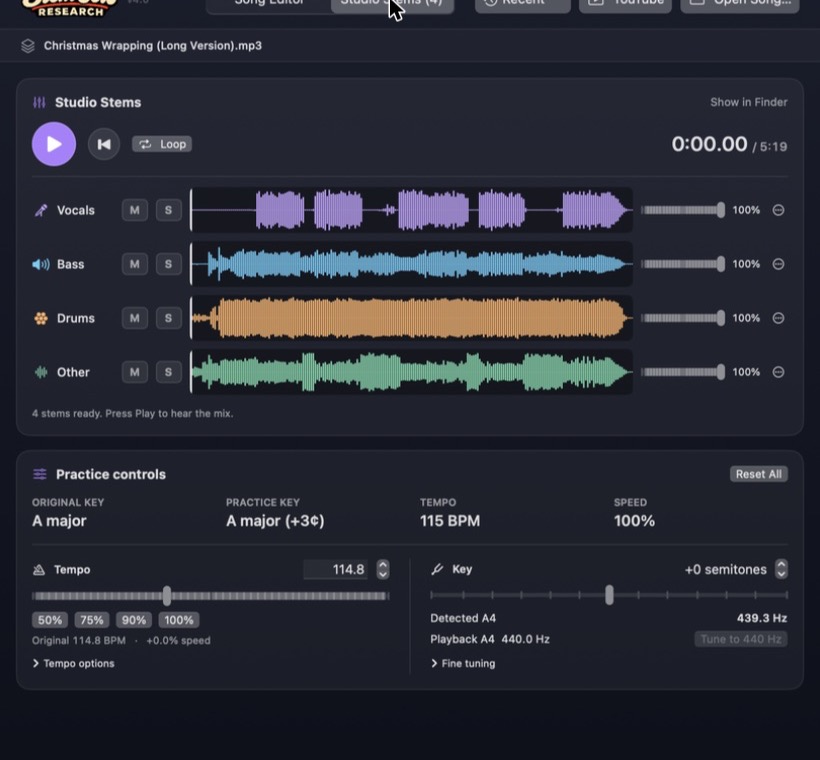
Mute, solo and balance every track. Practice along with just the drums, or take the bass out and play it yourself.
Key and tempo detection
See the original key and tempo at a glance, plus the recording’s tuning, so you know exactly what you’re playing against.
Pick up where you left off
Recent songs reopen exactly as you left them: tempo, key, loop, position, track volumes, mutes and solos.
Studio Stems
Hear every part on its own
When separation finishes, every track opens in the mixer with its own waveform, volume, mute and solo. Tempo, key and loops apply to all of them together.
- Vocals
- Guitar
- Piano
- Bass
- Drums
- Other
Song Editor
Zoom in to the exact note
- Drag the top of the waveform to select and loop; drag the bottom to pan.
- Quick practice speeds: 50%, 75%, 90% and 100%.
- Separate just the selected passage when you only need one part.
- Export what you hear as a practice WAV at your tempo and key.
My GPU Server
Stems in about a minute, on cloud GPUs
Separating on your own computer is included with the app and works offline. When you want it faster, switch Run on to My GPU Server and paste your license key: the same models run on fast cloud GPUs and the stems come straight back into the app.

Download Stem Cell Research
$20 (US dollars) for Mac and Windows. The first separation in each mode downloads its model; after that it works offline.
Mac: macOS 13 or later. Windows: 64-bit Windows 10 or 11; an NVIDIA graphics card makes separation much faster. First time opening? See Support.